Search a defined area
Choose the center, radius, place type, and record limit before requesting new businesses.
A clearer way to prospect locally
Search a local area, review enriched business records, and keep the next sales action in view. LeadsFinder brings the workflow together in one calm workspace.
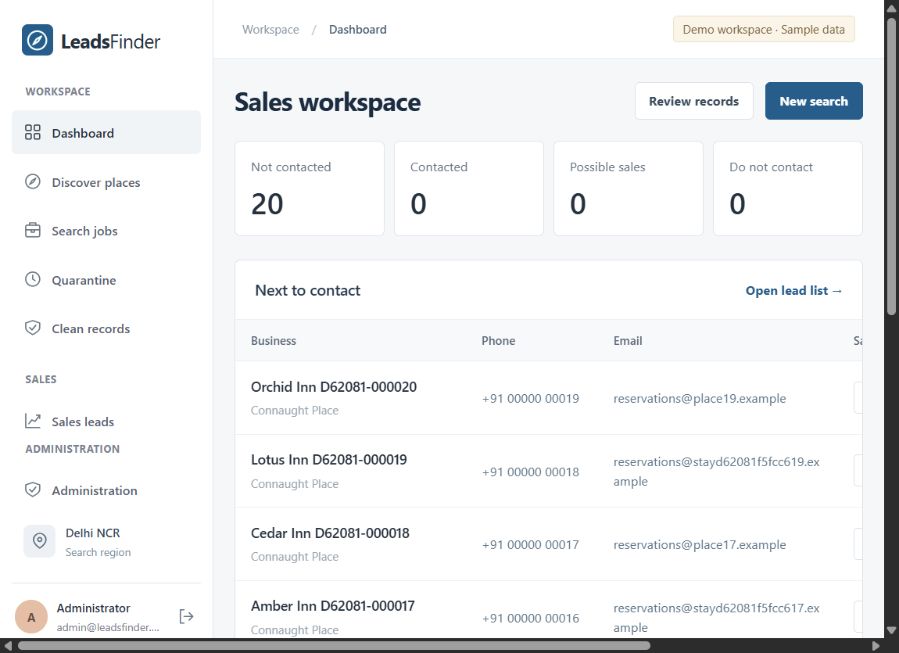
The workflow
Walk through the screens from the live demo workspace. Each step keeps the search, record, and sales activity connected.
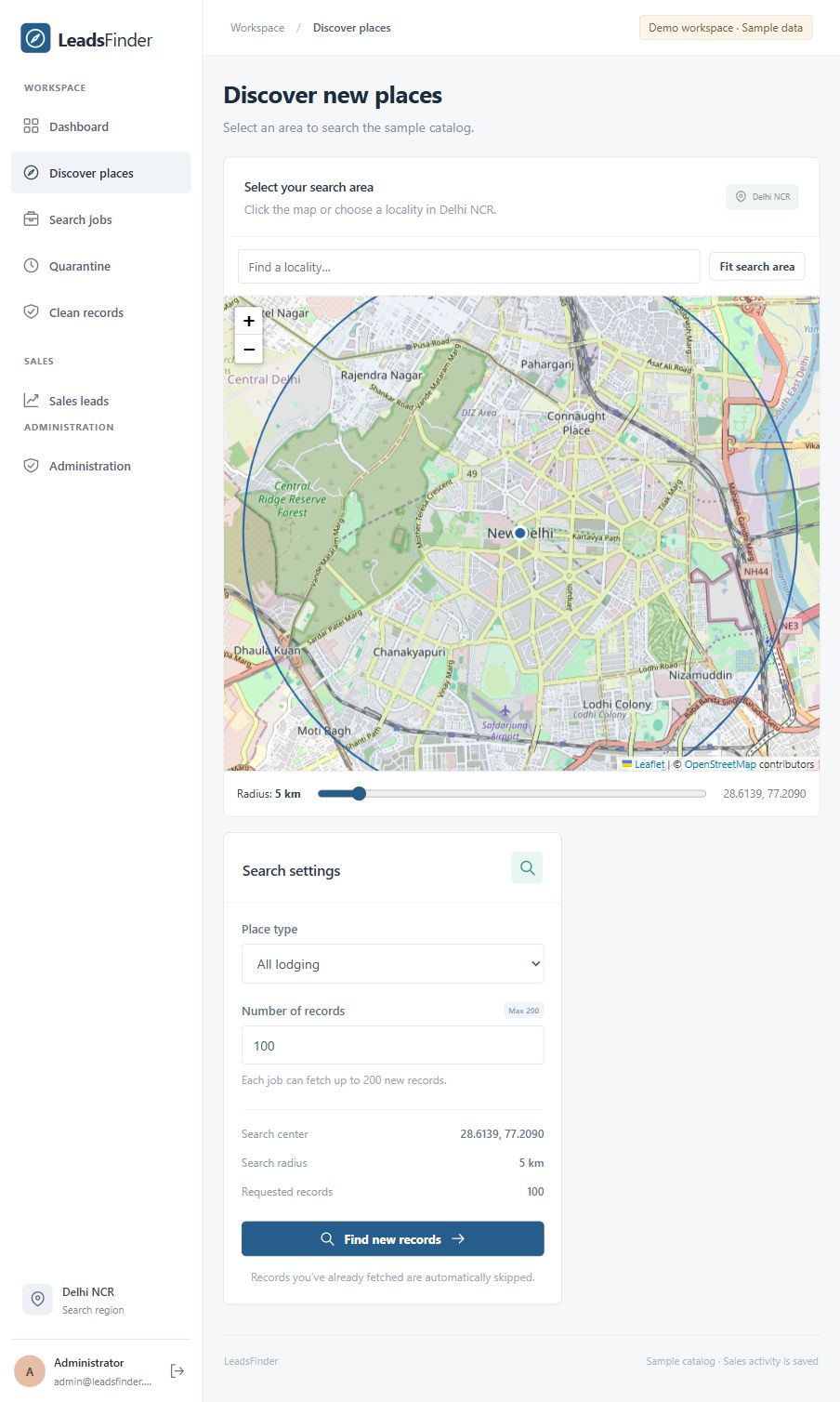
Pick the center on a street map or search for a locality. Set the radius and lodging category before starting a search.
Screenshots show the Delhi NCR sample catalog. Business names and contact details are illustrative.
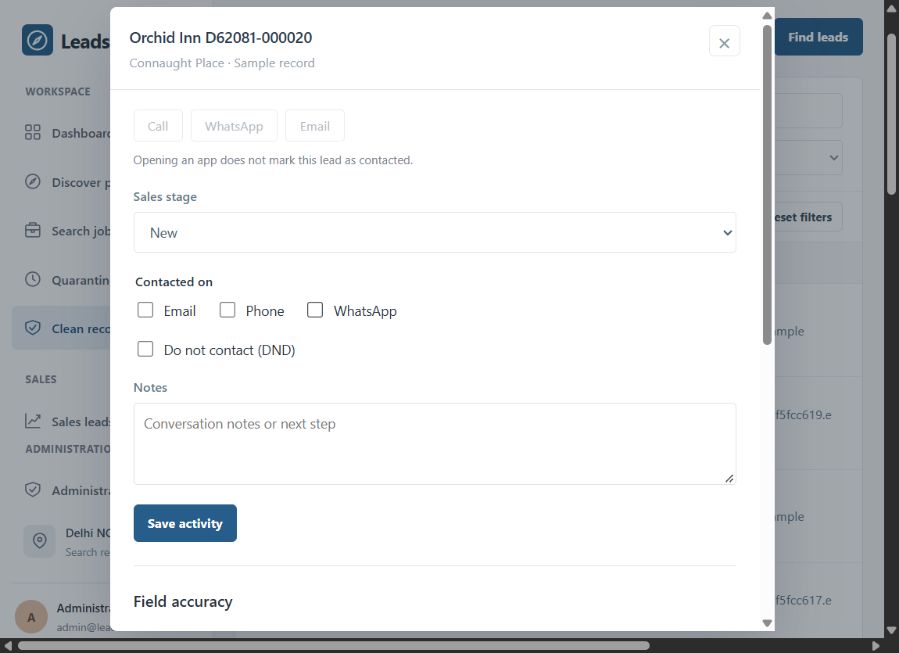
The workspace
Open a business record to see its sales stage and contact information alongside the activity that matters to your team.
Move from new to in progress, possible sale, won, or lost.
Mark email, phone, or WhatsApp contact and leave a note for the next step.
Set do not contact, rate field confidence, and report inaccurate details.
Built into the flow
LeadsFinder keeps the work around a search visible, from the first result to the export your sales process needs.
Choose the center, radius, place type, and record limit before requesting new businesses.
Search jobs show records found, quarantine and enrichment progress, and duplicate counts.
Filter sales leads by stage, DND, job, record status, and contact type.
Export clean records or sales leads for Microsoft Sales from the workspace.
Inside the demo
The included screens come from a completed 20-record search in the running app. The demo makes it easy to inspect the full journey without treating sample contacts as live prospects.
Review the screensGood to know
No. The captured workspace is explicitly marked as a demo and uses a sample catalog. The names and contact details shown are illustrative.
The current screen supports Delhi NCR localities and lodging categories, including hotels, guest houses, hostels, and apartments. A search can request up to 200 new records.
Sample or missing contacts are not dialable. The app asks for a real contact before call, WhatsApp, or email actions are available.
No. This product overview and its screenshots can be viewed independently.
Ready to explore?
Start with the map, then follow a record all the way into the sales workspace.